Assigning Providers to Store Locations
Designated Store Managers will be able to assign Financing Providers to various store locations.
To manage providers, click the Locations menu option under the Admin menu on the left-hand menu.
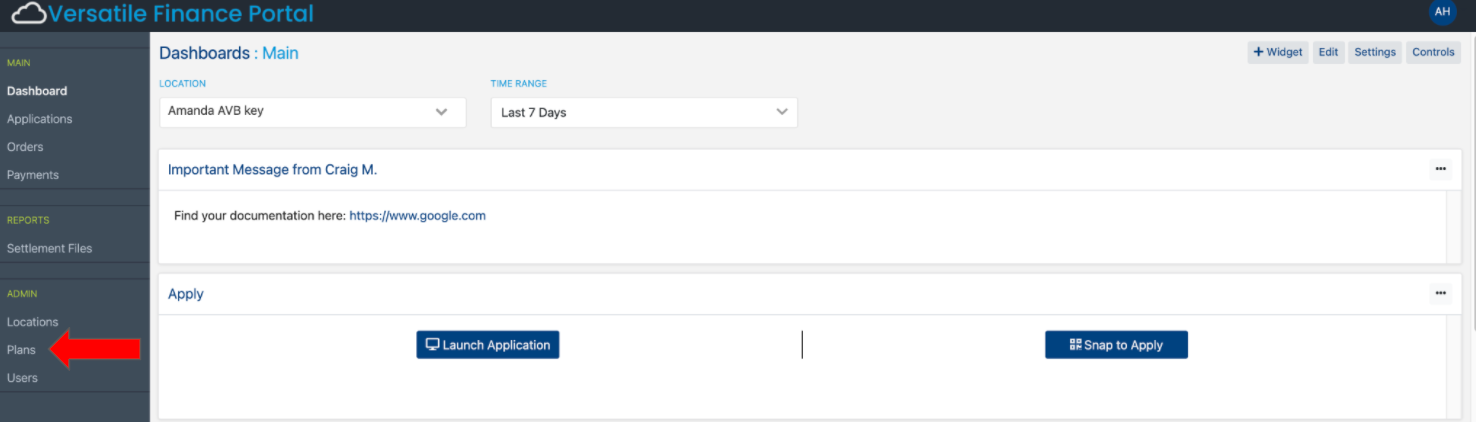
After clicking the Locations menu link, the Location Listing Screen will show all available locations under your merchant name. Click the edit button next to a location.
This will show you what providers have been assigned to that location.
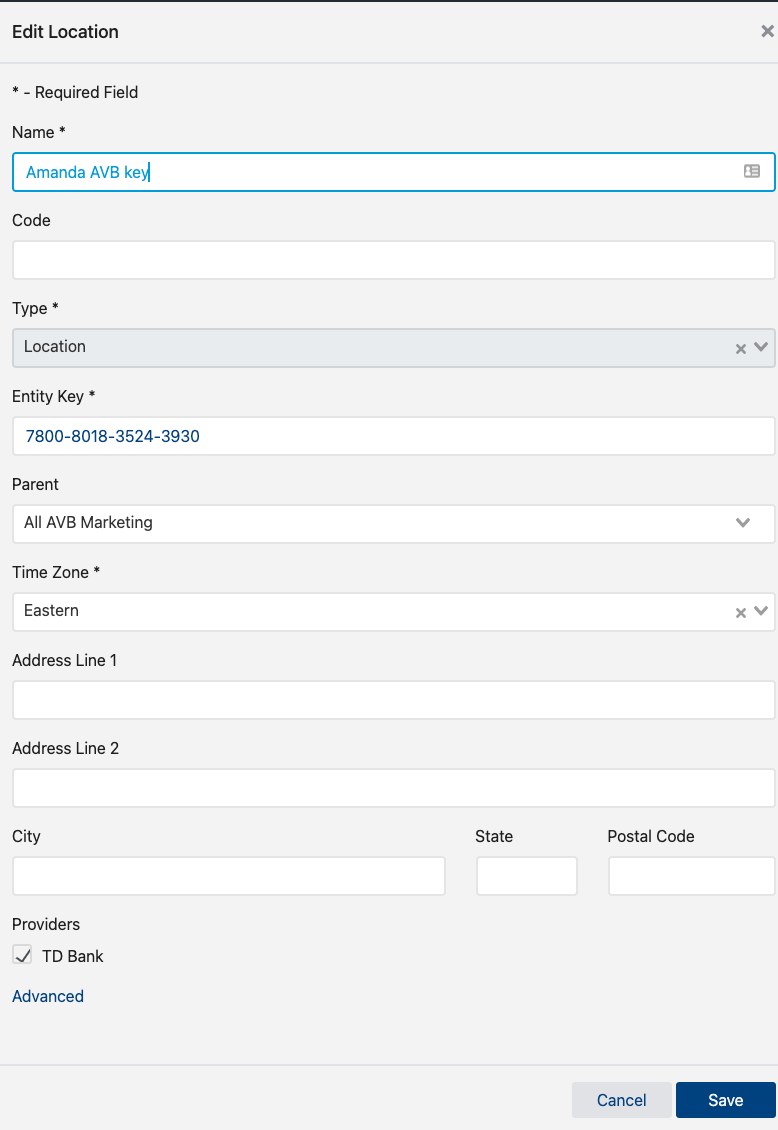
To change what financing provider is assigned, locate the provider in the listing and uncheck the box in front of the provider name.
After designating the locations providers, click the Save button to save changes or the Cancel button to cancel any changes made.